Blog - News & Tutorials
memo 1.8 - Performance, UX and Onboarding
2026-06-22 Henrik Lochmann whatsnew memo
memo 1.8 is available starting today. This release focuses on three key areas: significantly improved performance for large file collections, a comprehensive redesign of the user experience, and a smoother onboarding process for new users.
Many of the changes in this release are not immediately visible as standalone features. Instead, numerous improvements have been made throughout the application to make memo more responsive, easier to understand, and faster to become productive with.
A complete list of changes can be found in the changelog.
Significantly Faster File Analysis
The primary technical focus of this release was the redesign of file change detection and indexing.
The previous architecture used to identify modified files has been fundamentally reworked. As a result, memo can analyze large file collections much faster and detect changes more reliably. The difference is particularly noticeable during application startup: even datasets containing more than 100,000 files can now be checked for changes within just a few seconds (on systems with SSDs).
Additional performance improvements have also been implemented, including faster loading of file icons on Windows and more efficient calculation of file counts in large folder structures.
A Redesigned User Experience
Another major focus of memo 1.8 is the overall user experience.
New users are now greeted by a multi-step onboarding wizard when launching memo for the first time. Instead of being confronted with settings or licensing questions right away, users are first introduced to the application's core concepts and guided through the most important steps for a successful start.
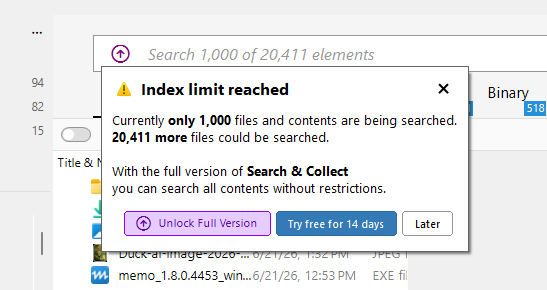
The user experience has also been improved throughout the application. New hints, dialogs, and empty states help users discover features and better understand common workflows.
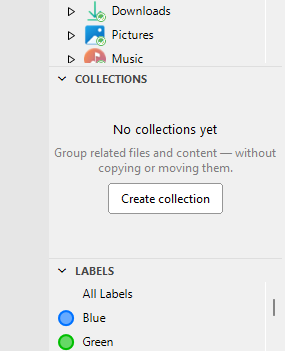
One example is the introduction of informative views in areas that previously appeared empty. Users who have not yet created any collections now receive contextual guidance on how to create and use collections directly where it is needed.
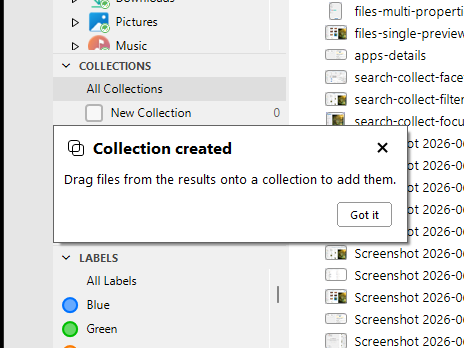
Actions such as creating collections or labels are now also more accessible and require fewer intermediate steps.
The Free Edition Has Been Expanded
The free edition has also been revised with memo 1.8.
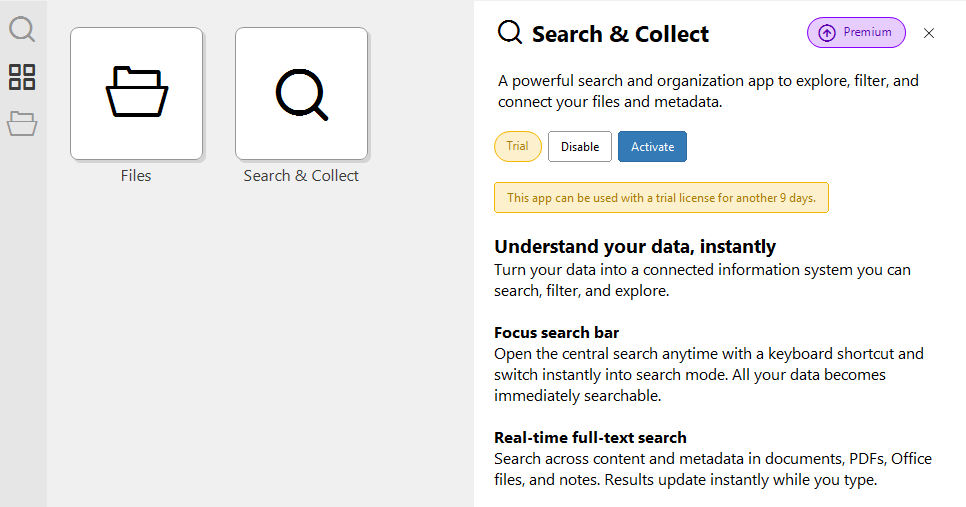
Users can now explore the entire application interface without first activating an extension. This makes it much easier to discover the different areas of memo and evaluate how the application fits into their daily workflow.
Extension management has also been improved. A new details section displays the activation status of installed extensions and allows them to be managed directly from within the application.
Numerous Additional Improvements
In addition to the major highlights, memo 1.8 includes many smaller improvements.
Collections, labels, and custom metadata now remain consistent even when files are moved or renamed outside of memo. This ensures that the way you organize your files is preserved even as your file system changes. File paths in search results can now be clicked directly to open the corresponding folder. Numerous issues related to references, search views, licensing, and file processing have also been resolved.
Thank you to all users for your feedback, bug reports, and suggestions for improvement.